
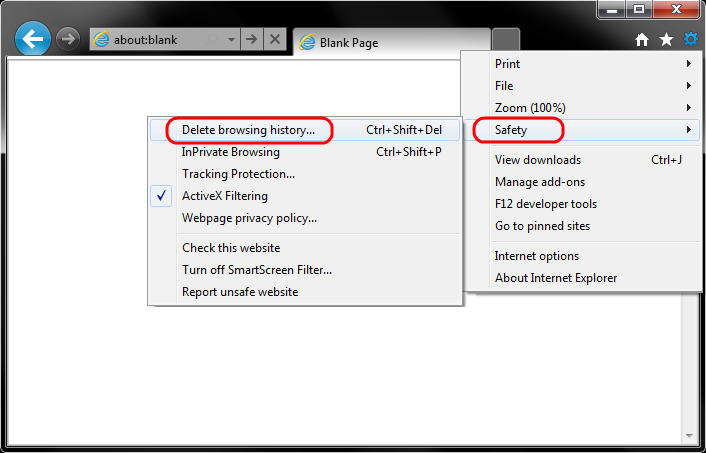
- Select Tools (via the Gear Icon) > Safety > Delete browsing history....
NOTE: You can also access this menu by holding Ctrl + Shift + Delete.
- Make sure to uncheck Preserve Favorites website data and check both Temporary Internet Files and Cookies then click Delete.

- You will get a confirmation at the bottom of the window once it has successfully cleared your cache and cookies.

Clear Browsing History/Cache in Internet Explorer
Modified on: Wed, Jun 6, 2018 3:29 PM
Yes No
Sorry we couldn't be helpful. Help us improve this article with your feedback.